QR Code Hotel Key Cards: Custom Printed Cards Guests Can Scan
the room key that also opens your guest services.
QR code hotel key cards put a scannable code on the card every guest already carries, so the key also opens your Wi-Fi page, dining menu, spa booking or review link. Customized Hotel Key Cards prints QR codes on full-color, RFID proximity and magstripe hotel key cards, returns a free mockup within 24 hours and ships in 2 to 4 weeks.
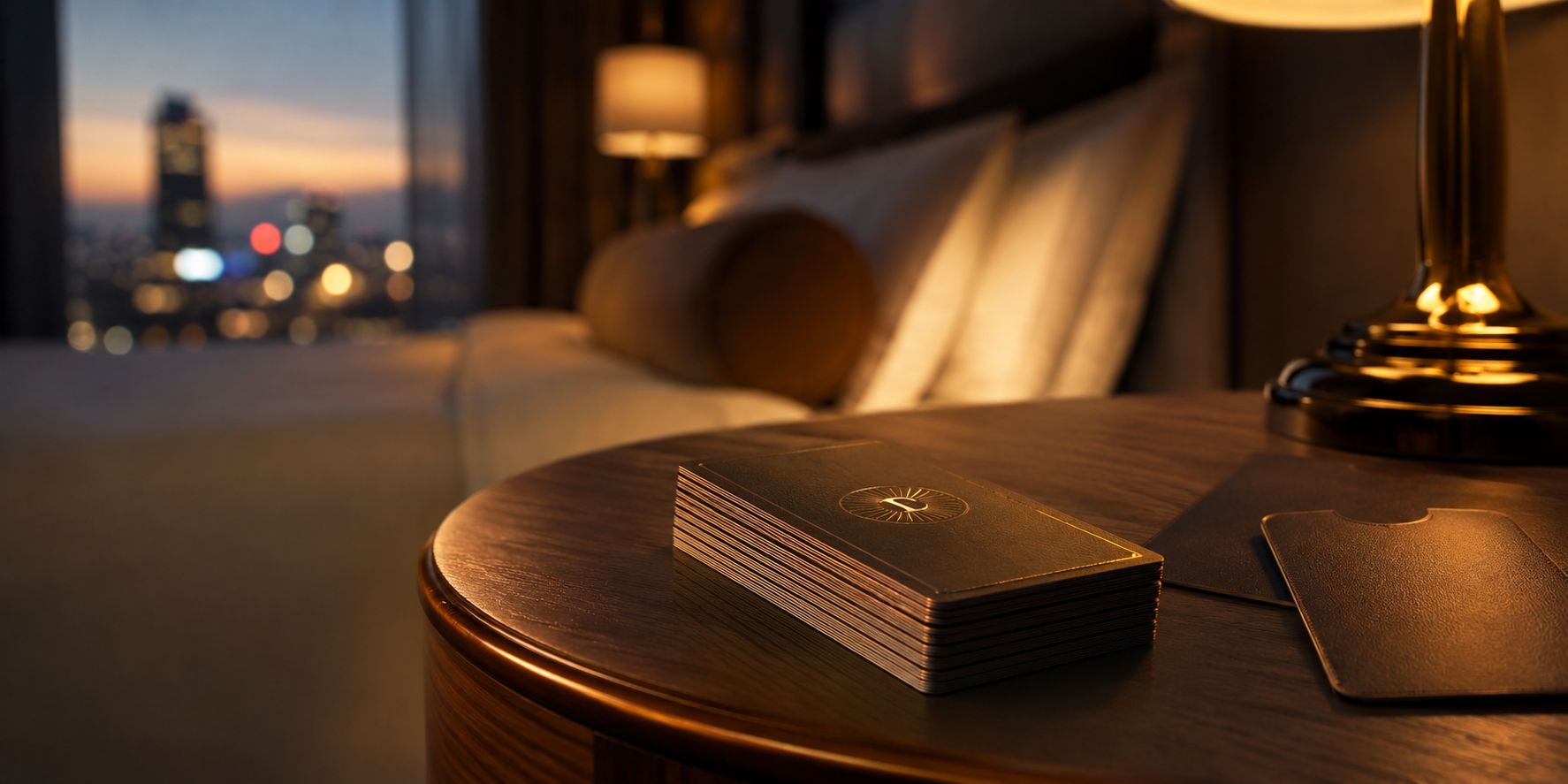
QR code hotel key cards for every guest touchpoint.
Wi-Fi and guest portal
Point the QR code on the key card to your Wi-Fi landing page so guests connect from the elevator instead of calling the front desk.
In-room dining and restaurant menus
A QR code on the back of hotel key cards sends guests straight to the room service menu or the lobby restaurant's reservation page.
Spa and amenity booking
Resorts can link the key card to spa, cabana or golf booking, so the card guests carry to the pool doubles as a booking shortcut.
Reviews and checkout surveys
A scan from the key card to a short survey or review page catches guests while the stay is still fresh, before they reach the airport.
Mobile key and loyalty app sign-up
Hotels rolling out an app can print a download QR code on the physical key card that every guest still receives at check-in.
Events and group stays
Conference and wedding batches can carry a QR code to the agenda, shuttle schedule or welcome page for that group only.
Custom hotel key cards styles you can order.
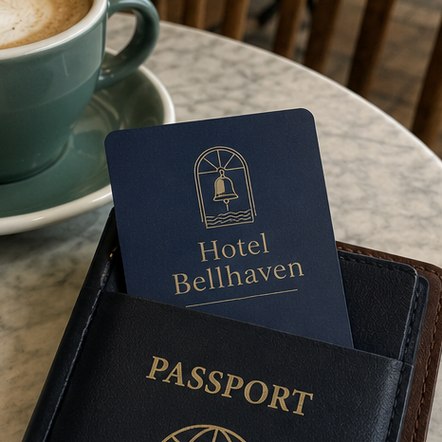
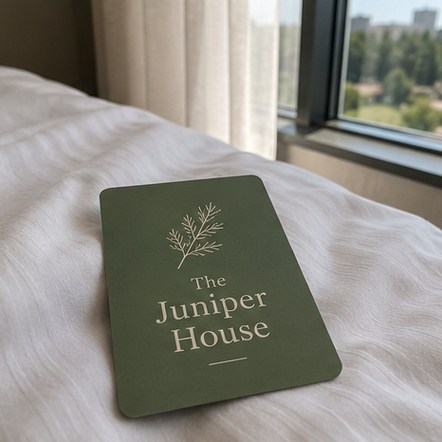
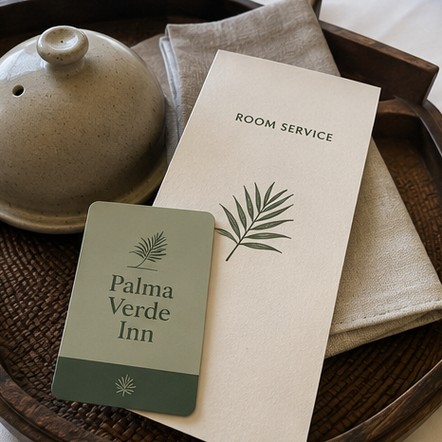
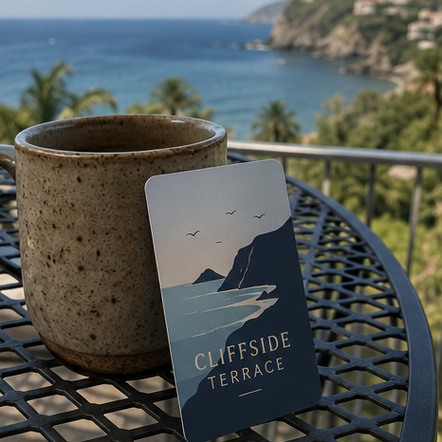
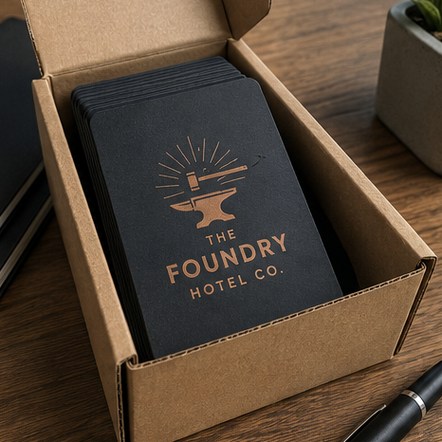
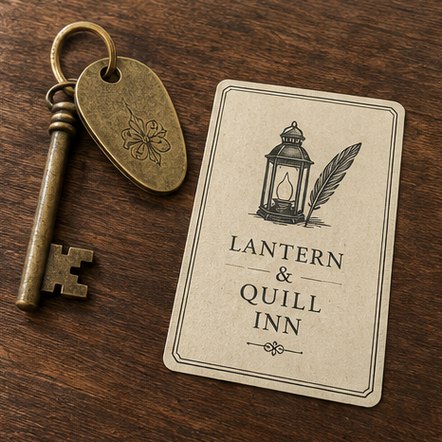
A key card that works after the door is open.
Every guest keeps the room key in a pocket for the whole stay, which makes it the most-handled piece of print in the hotel. Customized Hotel Key Cards adds a scannable QR code to that card without changing how it opens the door, so the key can drive Wi-Fi logins, dining orders, bookings and reviews.
- Printed artwork only, separate from the chip or stripe
- Mockup shows QR placement and size before you pay
- Different QR codes per batch for events or seasons
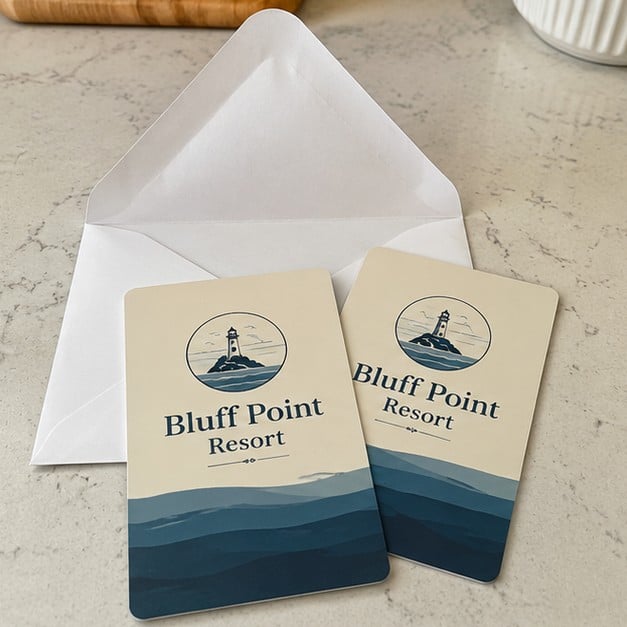
QR code hotel key cards, specified for reliable scanning.
Card types
QR codes print on full-color, RFID proximity and magstripe hotel key cards, with RFID or magstripe encoding matched to your existing locks.
Printing
Edge-to-edge CMYK on both faces, so the QR code can sit on the back while the front carries your logo or property photography.
Finish
Gloss or matte laminate, plus soft-touch on full-color cards; a matte finish cuts glare under hallway and lobby lighting.
Timing
Free mockup within 24 hours, unlimited revisions, and standard turnaround of 2 to 4 weeks after you approve the design.
What are QR code hotel key cards?
QR code hotel key cards are standard RFID or magstripe room keys with a scannable QR code printed into the artwork, usually on the back face. The card still opens the door exactly as before, while a guest’s phone camera reads the code and lands on whatever page you choose: Wi-Fi, menus, spa booking, a checkout survey or your app.
The reason to put the code on the key rather than a tent card or a lobby sign is simple: the key card is the one piece of print every guest carries for the entire stay. It travels to the pool, the restaurant and the parking garage. A code on the key card is available at the exact moment a guest wonders how to order breakfast or book a massage.
At Customized Hotel Key Cards, QR codes are listed as an extra on the full-color printed key card, the RFID proximity key card and the magstripe key card. All three print edge-to-edge in CMYK on both faces, which leaves room for a clean QR panel on the back without crowding the logo on the front.
Does a printed QR code interfere with the RFID chip or magstripe?
No. A QR code on hotel key cards is ink under the laminate, nothing more. The RFID chip and antenna sit inside the card body, and the magstripe is a separate encoded strip on the back, so the printed code has no electrical or magnetic effect on how the card talks to your locks. Your front desk encodes the cards on its existing encoder exactly as it does today.
Placement still matters on magstripe cards. The stripe runs along the back, so the QR code has to sit in the clear area below or beside it, never across the stripe. RFID cards are easier: both faces are fully printable, and the code can go anywhere the design calls for. On every order, Customized Hotel Key Cards confirms the lock system and card type before printing, and the mockup shows exactly where the QR code lands relative to the stripe.
- RFID proximity: either face is open for the QR code.
- Magstripe: keep the code in the clear zone away from the stripe.
- Both: encoding happens at your desk, unaffected by the print.
Where should the QR code link, and can it change later?
The best destination for a QR code on hotel key cards is a short web address you control, such as a page on your own hotel website, rather than a third-party menu or booking URL. If the code points to your own page, you can update or redirect that page whenever the menu, Wi-Fi provider or booking system changes, and the cards already in circulation keep working.
A printed QR code cannot be edited after the cards are made, so a code that points straight at a vendor’s page becomes useless the day you switch vendors. Pointing to your own domain avoids that and lets you add tracking tags so your marketing team can see how many scans come from the key cards.
Common destinations, ranked by how often guests actually need them during a stay:
- Wi-Fi login or the guest services page
- In-room dining and restaurant menus
- Spa, cabana, golf or activity booking
- Local guide or concierge recommendations
- Checkout survey or review request
- Mobile key or loyalty app download
How do you design a QR code that scans reliably on a key card?
A QR code on hotel key cards scans reliably when it is dark on a light background, surrounded by a clear margin, and large enough for a phone to read at arm’s length. Those three rules matter more than any design flourish. A code printed over a busy photo or in a low-contrast brand color is the most common reason a guest’s camera fails to pick it up.
Keep the QR panel simple: a solid white or pale box on the back face, the code in black or a very dark brand color, and a short call to action next to it such as Scan for Wi-Fi or Scan to order. Guests ignore a bare code; they scan one that tells them what they get.
| Choice | Scans well | Causes problems |
|---|---|---|
| Background | Solid white or pale panel | Photography or pattern behind the code |
| Code color | Black or deep brand color | Light, metallic or pastel tones |
| Margin | Clear quiet zone on all sides | Code touching the edge or the stripe |
| Finish | Matte or soft-touch laminate | High gloss under bright downlights |
| Label | Short call to action beside it | No explanation of what it opens |
The free mockup from Customized Hotel Key Cards arrives within 24 hours, so you can print it on paper at actual card size and scan it with several phones before approving.
Which hotel key card styles work best with a QR code?
The full-color printed key card is the strongest fit for a QR code, because it prints both faces edge to edge and offers gloss, matte or soft-touch laminate. The RFID proximity and magstripe key cards also list QR codes as a standard extra, which makes them the practical choice when the goal is simply adding a scannable back to the cards your locks already use.
Premium styles need more care. The foil-stamped key card can combine foil with CMYK printing, and the brushed metal-accent card takes print or foil over a metallic face, but a reflective surface behind a QR code is hard for cameras to read. If you want a foil front with a QR back, ask on the quote form and the mockup will show whether the back can carry a plain printed panel. Never print the code itself in foil.
- Full-color printed: best all-round choice for QR backs.
- RFID proximity: QR codes and variable art listed as extras.
- Magstripe: QR codes and a signature panel listed as extras.
- Foil or metal-accent: confirm a plain printed QR area first.
Can one order carry different QR codes for different guests?
Yes. The full-color printed key card supports multiple designs per order, so you can split a run of QR code hotel key cards into batches that point to different pages. A resort might send standard rooms to the dining menu, suites to a concierge page and a conference block to the event agenda, all within one order and one approval round.
Seasonal swaps work the same way. A summer batch can point to pool cabana booking while a winter batch links to holiday dining, and because each batch is its own design, you control exactly which code is in the drawer at the desk. The RFID proximity card also lists variable art as an extra, which is worth raising on the quote if you need more granular variation.
One rule holds for every batch: the QR code should never encode a room number, a guest name or anything that identifies which door the card opens. Link to general guest pages only, and keep the card as anonymous as an unprinted key.
How do you order QR code hotel key cards?
Ordering QR code hotel key cards from Customized Hotel Key Cards takes four steps, and you pay nothing until you approve the design. Start on the quote form with your lock system, card type, quantity and the web address each QR code should open.
- Send the details: lock brand or card technology, your logo, and the destination link for every QR code.
- Review the mockup: a free mockup arrives within 24 hours showing QR placement, size and the call to action.
- Test and revise: scan a printout at card size with several phones; revisions are unlimited and free.
- Approve and receive: production and delivery take 2 to 4 weeks, with express shipping available when you need cards sooner.
The full process is laid out on the how it works page. Once the cards arrive, encode a few on your front-desk encoder, try them on several doors and scan the code on each batch before the cards go into rotation.
From your logo to delivered hotel key cards in four steps.
Send your artwork
Upload your logo or describe the idea and tell us the quantity you have in mind.
Get a free mockup
A designer returns a mockup of your hotel key cards with the artwork in place. Unlimited free revisions.
Approve the design
Nothing is produced until you approve the mockup, and you pay nothing before that.
Receive your order
Standard production is 2 to 4 weeks after approval; faster turnaround is available with express shipping.
Custom hotel key cards for hotels adding qr codes to key cards, answered.
What is the most useful page to link from a QR code on hotel key cards?
For most properties, the most useful link from a QR code on hotel key cards is a guest services page on your own website that gathers Wi-Fi, dining, amenities and checkout in one place. Guests scan once and find everything, and because the page lives on your domain, you can update its contents any time without reprinting a single card.
Does printing a QR code weaken the RFID signal on hotel key cards?
Printing a QR code does not weaken the RFID signal on hotel key cards. The code is ink under the protective laminate, while the chip and antenna are sealed inside the card body. Customized Hotel Key Cards confirms your lock system before printing, and your front desk encodes and issues the cards exactly as it does with any other RFID proximity card.
Can the QR code go on the same side as the magstripe on hotel key cards?
A QR code can share the back face with the magstripe on hotel key cards as long as it sits in the clear area away from the stripe. The code should never overlap the stripe or touch its edge. The mockup from Customized Hotel Key Cards shows the exact position so your team can check spacing before anything is printed.
What happens to printed hotel key cards if the QR code link stops working?
Printed hotel key cards keep opening doors even if the QR code link stops working, but guests who scan will hit an error page. To prevent that, point the code at a page on your own website and redirect it whenever a vendor or menu changes. That way the cards already in circulation stay useful for their whole life.
Could a stranger misuse the QR code printed on hotel key cards?
A QR code printed on hotel key cards is only a link to a public web page, so it gives nobody access to a room. The risk comes only if the code contains private data, such as a room number or guest name. Link every code to general guest pages, keep the card anonymous, and lost cards reveal nothing useful.
Is matte or gloss laminate better for QR code hotel key cards?
Matte laminate is usually the safer choice for QR code hotel key cards because it cuts the glare that bright hallway and lobby lights throw onto a glossy card. Gloss still scans well in most rooms. Full-color cards from Customized Hotel Key Cards also offer soft-touch laminate, which combines a low-glare surface with a premium feel in the hand.
Can a QR code be placed over property photography on hotel key cards?
Placing a QR code directly over property photography on hotel key cards often causes scan failures, because the camera struggles to separate the code from the busy image underneath. The reliable approach is a solid white or pale panel behind the code, with the photo running around it. The front face can still carry full-bleed photography.
Should a QR code ever be stamped in foil on hotel key cards?
A QR code should not be stamped in foil on hotel key cards, because metallic foil reflects light unevenly and most phone cameras cannot read it reliably. Keep foil for the logo or monogram and print the code in solid dark ink on a plain panel. Ask about a printed QR back when quoting a foil-stamped card.
How can a hotel measure how many guests scan the QR code on its key cards?
A hotel can measure scans from the QR code on its key cards by pointing the code at a dedicated page or adding tracking tags to the link. Your web analytics then show visits that came from the cards specifically. Using a separate tagged link for each batch lets you compare dining, spa and survey codes side by side.
What should a hotel send for the QR code artwork on custom key cards?
For custom hotel key cards with a QR code, the simplest approach is to send the exact web address the code should open, along with your logo and card details. Customized Hotel Key Cards can place the code in the design for you. If your team already generated a vector QR file, send that instead, and confirm the link works first.
Does a QR code on hotel key cards need a printed label next to it?
A QR code on hotel key cards works much better with a short printed label next to it, such as Scan for Wi-Fi or Scan to book the spa. Guests rarely scan an unexplained code, but they scan quickly when they know what they will get. Keep the label to a few words in the same dark color as the code.
How should a hotel test QR code key cards before handing them to guests?
Hotel key cards with a QR code should be tested twice. First, print the free mockup at actual card size and scan it with several phones, including older models. Second, when the finished cards arrive, encode a few, try them on doors, and scan each batch under real hallway and lobby lighting before the cards go into rotation.
Should the Wi-Fi password be printed beside the QR code on hotel key cards?
Printing the Wi-Fi password beside the QR code on hotel key cards is rarely a good idea, because passwords change and the cards stay in circulation long after. A better option is linking the code to a Wi-Fi landing page you control, where the current password or login steps can be updated whenever your network settings change.
Can a restaurant or spa partner sponsor the QR code on hotel key cards?
A restaurant, spa or local attraction can sponsor the QR code on hotel key cards, with the back face promoting the partner and the code linking to its booking page. The full-color printed card from Customized Hotel Key Cards is built for promotional backs, and a separate design batch keeps sponsor cards apart from your standard guest stock.
Can a QR code on hotel key cards replace the printed guest directory in the room?
A QR code on hotel key cards can replace much of the printed guest directory when it links to a mobile-friendly page with hours, dining, amenities and contact details. Guests carry the card everywhere, so the information travels with them. Many hotels keep a short printed card in the room for guests who prefer not to use a phone.
Can a QR code on hotel key cards ask guests for a review at checkout?
A QR code on hotel key cards can link to a checkout survey or review page, which reaches guests while the stay is still fresh in their minds. Adding a short label such as Tell us about your stay improves response. Point the code at your own page first, so you can change the review platform later without reprinting.
Ready to see your hotel key cards with your logo?
Free mockup within 24 hours. Minimum order 12. Standard turnaround 2 to 4 weeks, faster available. You pay nothing until you approve the design.
Related pages
- Get a custom quote for QR code hotel key cards
- Full-color printed key card
- RFID proximity key card
- Magstripe key card
- How it works
- Hotel key cards vs. mobile keys
- Questions to Ask a Hotel Key Card Supplier Before You Order
- Custom Hotel Key Cards for Extended-Stay Hotels and Serviced Apartments
- Hotel Key Cards for Conference and Convention Hotels: A Group Business Playbook